Your sheet, on your calendar. Without reformatting anything.
TallyNorth Calendar Sync is a Google Sheets add-on that turns rows (shift rosters, schedules, content plans) into Google Calendar events, and turns calendar events back into a sheet with hour totals.
How to installPricingWhy people switch to it
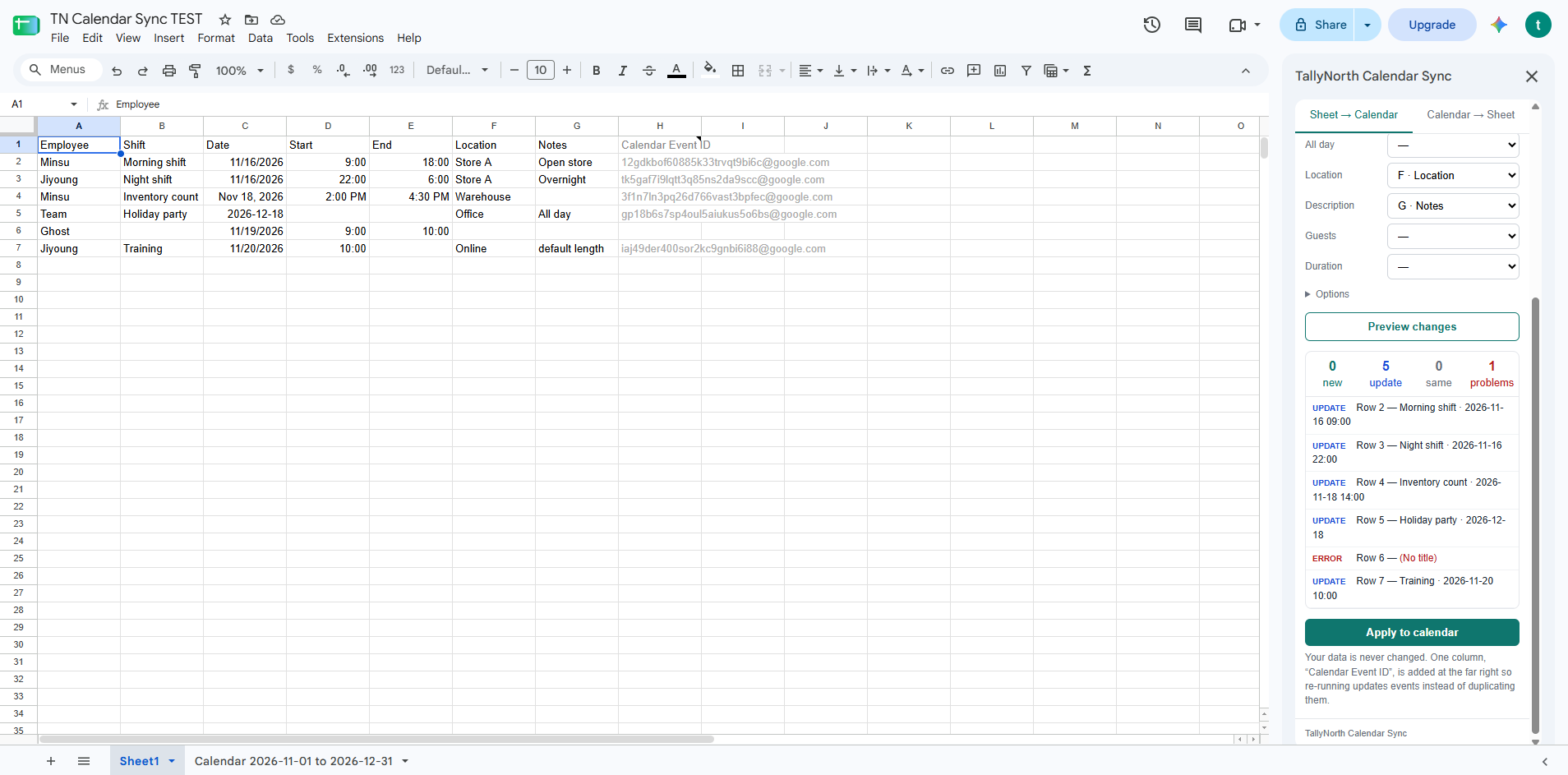
Works with your columns
It reads the sheet you already have. Columns like Shift, Date, Start, End, Location are matched automatically. No template to copy into.
Preview before anything changes
See exactly what will be created, updated or removed, and which rows have problems, before touching your calendar.
No duplicates, ever
Run it again after editing your sheet and only the changed rows are updated. Your data columns are never rewritten.
Gets the hard cases right
Overnight shifts (22:00–06:00), all-day events, rows without an end time, and your sheet's time zone.
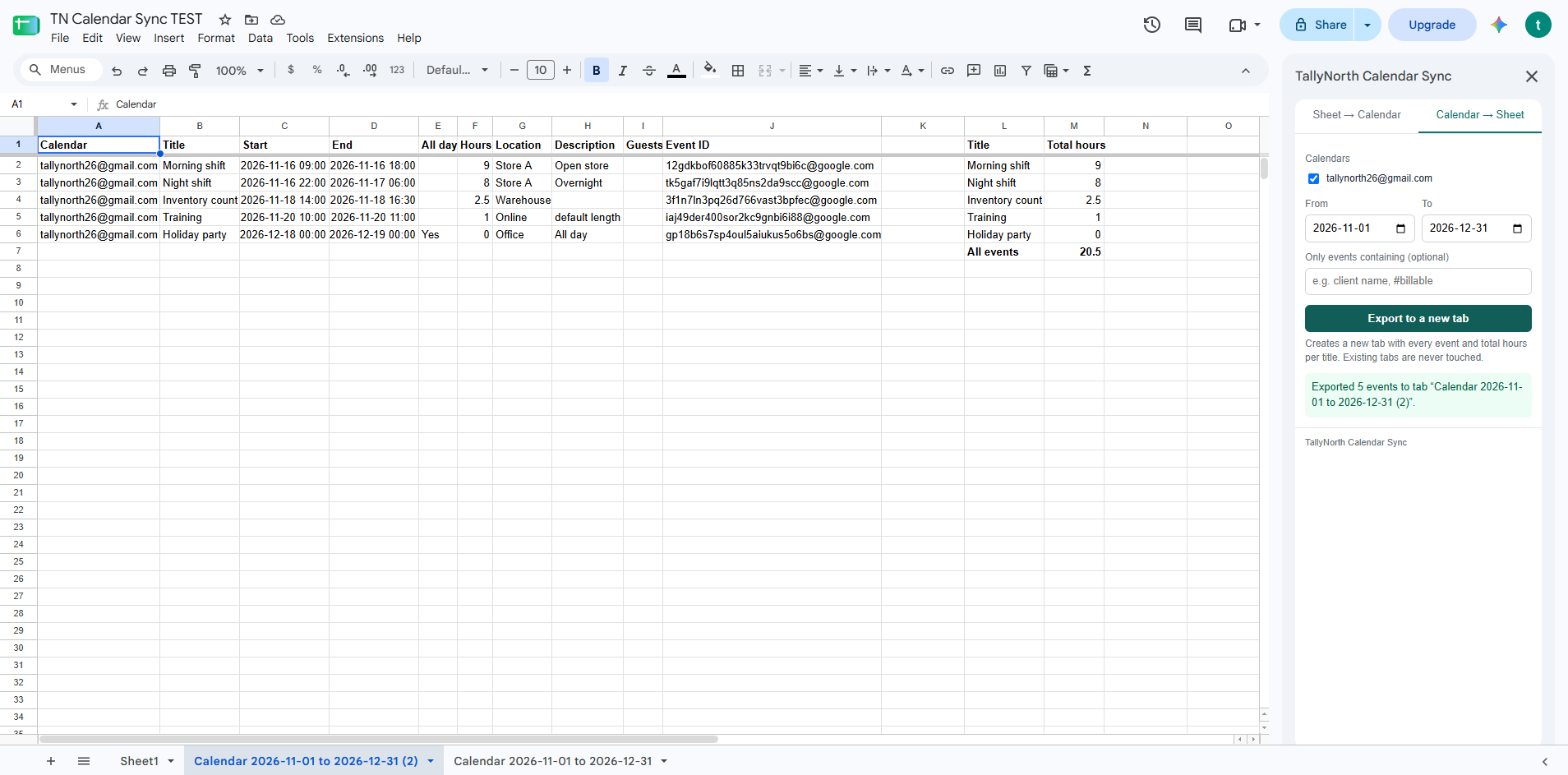
Calendar → Sheet with hours
Export any date range to a new tab, with total hours per event title. Handy for timesheets and invoicing.
Minimal permissions
Access to the current spreadsheet only (not all your files) and your calendars. No emails are sent on your behalf.
Pricing
| Free | Pro |
|---|---|
| $0 Sheet → Calendar with preview, updates and removal · Calendar → Sheet export with hour totals · up to 100 events kept in sync per sheet |
$36 / year Everything in Free · unlimited events · hourly auto-sync Get Pro |
Payments are processed by Polar (merchant of record), who handles sales tax/VAT. After purchase you receive a license key; paste it into the add-on sidebar. Cancel anytime from the Polar customer portal.
How it works
- Install the add-on, open your sheet, then Extensions → TallyNorth Calendar Sync → Open.
- Pick a calendar and check the column matches.
- Click Preview changes, review, then Apply to calendar.
- Edit your sheet any time and run it again: only changes are applied. Optional: a “Send” checkbox column to choose which rows go to the calendar.
The Google Workspace Marketplace listing is in review. Questions or early access: tallynorth26@gmail.com.
Support
Email tallynorth26@gmail.com. We usually reply within one business day.